Look for a repeatable surface pattern, keep its context and understand the limits of the image. A careful first check begins with observation, not a diagnosis.
A colorful thermal image can feel immediately persuasive. A window surround appears blue, a nearby wall appears orange and a bright patch draws your attention. Before deciding that something is wrong, pause at the scale beside the image. What temperatures do those colors represent, and what changed between one view and the next?
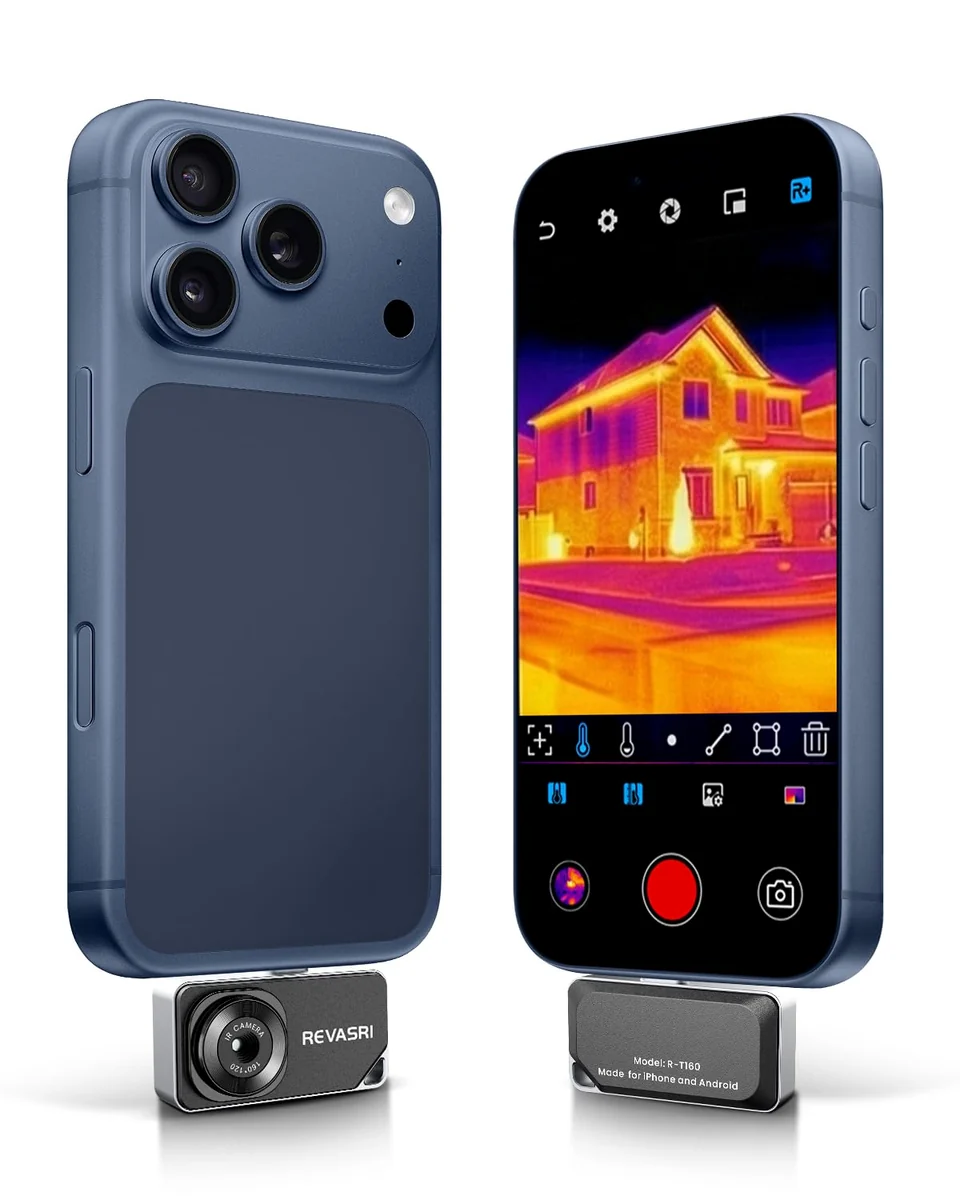
Our REVASRI thermal camera collection provides phone-connected ways to explore visible surface-temperature patterns. The useful result is a clear record of what you observed and under which conditions. The image does not see through a wall or establish the cause of a suspected problem by itself.
Understand what the camera sees
A thermal camera responds to infrared radiation reaching its sensor. In ordinary home use, the displayed pattern concerns the surfaces in view. The material, surrounding conditions and camera settings influence how that information becomes a temperature reading and a colored image.
“Measurements in thermal cameras show the temperature on the surface of an object.”FLIR, Using a thermal camera.
Think of the image as a different way to inspect an accessible surface. It may reveal a pattern that is difficult to notice with an ordinary photograph. It does not directly identify insulation inside a wall, water behind a finish or the condition of every component in a closed system.
Ordinary glass adds another source of confusion. In the long-wave infrared range used by this kind of camera, typical window glass does not behave like a clear opening for the instrument. Do not assume that aiming through a window gives a straightforward thermal picture of the room or landscape beyond it.
Check the complete phone setup
Before choosing a plug-in camera, start with the exact device you intend to use. The selected REVASRI modules use USB-C and identify compatible operating-system families in their descriptions. That does not mean every phone with a USB-C socket will work with every module or adapter.
Check the host device, operating system, required Camera+ application and the instructions supplied with the exact configuration. A protective case may also affect whether the connector seats fully. Do not assume that an arbitrary adapter makes a different port or older device compatible.
A phone-powered module depends on its host for power and viewing. Make sure the host is charged and that the required application is installed from the source identified in the instructions. Avoid guessing between similarly named applications. If the camera is not recognized, return to the model’s compatibility guidance before changing settings at random.
For a shared household or work setup, write down which phone and application combination you have confirmed. That small note prevents the next user from assuming that a different handset will behave identically. The practical question is whether the complete setup works for your routine, not just whether the connector fits.
Read the resolution label carefully
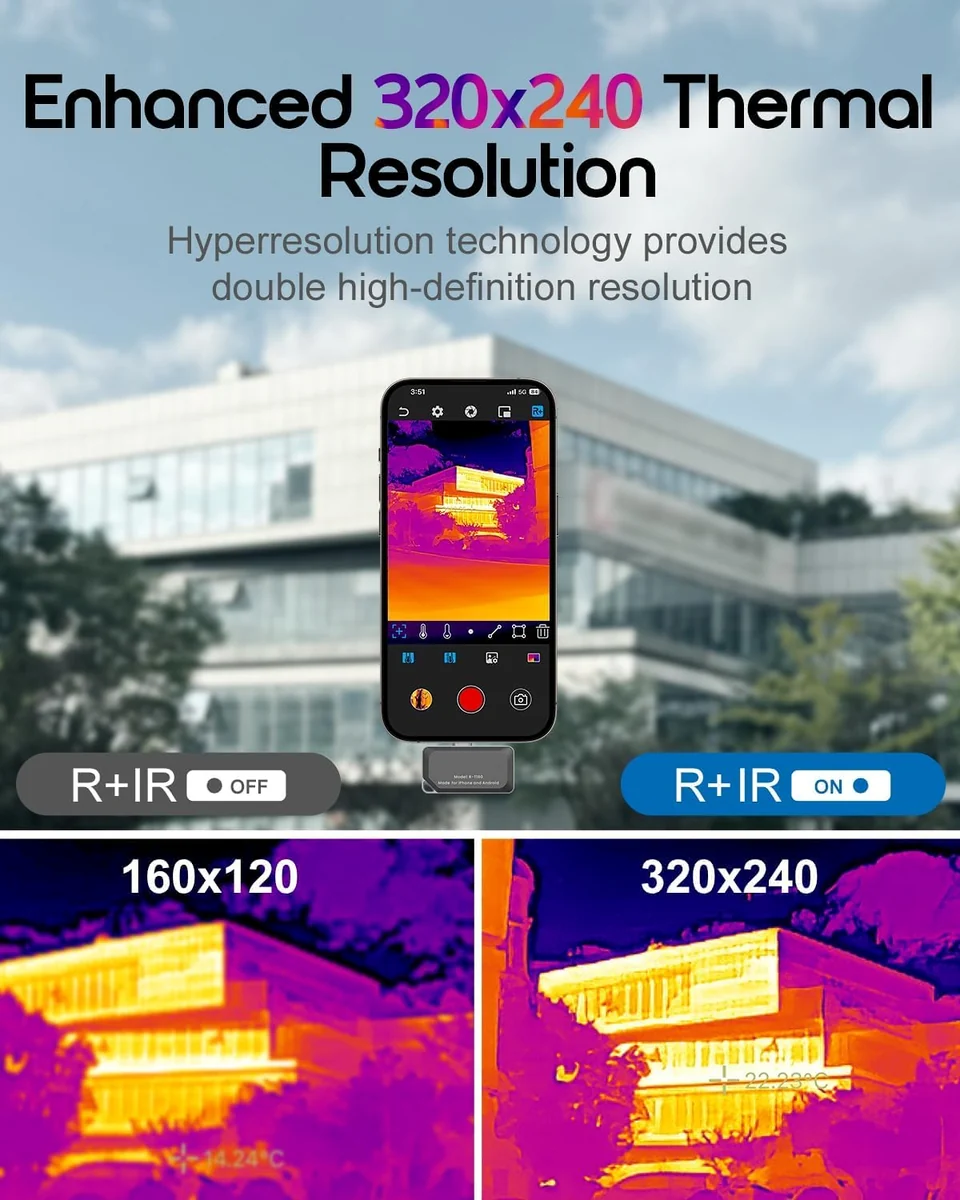
Thermal-camera listings can contain several pixel counts. Native infrared resolution describes the detector’s sampling matrix. Enhanced or super-resolution output describes an image created with additional processing. The screen on your phone has its own resolution, which is another separate number.
For example, REVASRI T160 material distinguishes a 160 × 120 infrared image from 320 × 240 enhanced output. Our selected T256 configuration advertises 512 × 384 enhanced output. The larger displayed number should not be relabeled as the native detector count.
| Term | What it describes | Useful question |
|---|---|---|
| Native IR resolution | Physical detector sampling | What is the actual sensor matrix? |
| Enhanced resolution | Processed thermal image output | Is the larger number explicitly described as enhanced? |
| Display resolution | Pixels on the viewing screen | Am I confusing the screen with the sensor? |
| Digital zoom | An enlarged selected view | Does the original image contain enough target detail? |
Digital zoom can help you inspect a displayed area, but enlarging the view does not create an equivalent increase in native sensor detail. A small target far away may occupy too little of the original image to support a confident interpretation. Move only where it is safe and permitted; do not approach hazardous equipment merely to fill the frame.
Make the first observation repeatable
Choose an uncomplicated, accessible area such as an interior wall near a closed window. Start with an ordinary photograph to record the location. Note whether the heating or cooling system is running, whether direct sunlight recently reached the surface and whether a nearby heat source could affect the scene.
Keep the camera at a reasonably consistent angle and distance while comparing nearby areas. Similar-looking surfaces made from different materials may respond differently, so compare like materials where possible. A painted wall beside a shiny metal fitting is not a simple comparison of temperature alone.
Read the numeric scale as well as the colors. An automatic palette can redistribute colors when a much warmer or cooler object enters the frame. A surface may look different after reframing even when its actual temperature has not changed in the way you first assumed.
Capture a useful overall view before zooming into a small patch. The wider image helps explain where the patch sits relative to a window, door, corner or other feature. Without that context, a dramatic close-up can be difficult to interpret later.
Follow a simple first route
Begin with a short sequence of accessible interior surfaces: a wall section, a closed window frame, a door surround and a nearby comparison area. Stay on a stable floor. There is no need to climb, enter restricted spaces or open equipment to make a useful first observation.
For each location, save a visible-light image and a thermal view where the application supports them. Give the pair a clear location label. If you notice an unexpected pattern, take another view from a slightly different angle and record whether the pattern persists.
Keep electrical equipment closed and avoid contact with hot surfaces. A thermal image cannot establish that an electrical system is safe. Unexplained heating, persistent concerns or signs of damage belong with a qualified professional. The role of this first check is to document what you can observe safely.
Watch for reflections and material differences
Emissivity describes how effectively a surface emits thermal radiation. Low-emissivity, reflective materials can show radiation from their surroundings, including nearby warm objects or the person holding the camera. A bright patch on polished metal may therefore be a reflection rather than evidence that the metal itself is unusually hot.
Change the viewing angle carefully. If the apparent patch moves or changes strongly with your position, consider reflection as part of the explanation. Compare the material with similar surfaces and avoid applying one assumed setting to every object in a mixed scene.
There is no single emissivity value that makes every household material straightforward to measure. Follow the camera instructions and consult a technical reference when quantitative accuracy matters. FLIR’s explanation of emissivity provides useful background on why reflective surfaces need care.
Separate a pattern from its cause
A cool patch on a wall can have more than one explanation. Heat flow, air movement, surface material, recent sunlight and moisture-related effects can influence what you see. The camera does not label the cause merely by assigning a color to that region.
For suspected moisture, record the pattern and seek appropriate confirmation. A moisture meter or professional investigation may be needed; a thermal image alone does not prove water is present. It also does not directly detect mold or establish the condition of concealed materials.
| Observation | Consider | Next step |
|---|---|---|
| Bright patch on shiny metal | Reflected surrounding heat | Change angle and compare the material |
| Cool wall patch | Several possible causes | Record context and confirm suspected moisture appropriately |
| Colors change after reframing | Automatic scale or new scene extremes | Read the scale and compare consistent settings |
| No live image | Host, application or connection requirements | Check the exact model instructions |
FLIR’s moisture-inspection guidance explains the need to confirm suspected moisture. Use a pattern as a prompt for a better question rather than as a ready-made answer.
Keep a record someone else can understand
Save the date, room, surface and viewing position with your images. Include the temperature scale and any settings relevant to the observation. Note the state of heating or cooling and any obvious recent environmental change. A later comparison is much stronger when those details are available.
If the concern persists, a paired visible and thermal image can help explain the location to an appropriate professional. Describe what you observed in ordinary language. “A cooler patch remained near the lower window corner in two views” is more informative than announcing a hidden fault that the images have not established.
Choose the camera configuration around the way you will collect those records. Compare the compact T160, the T160 phone kit and T256 enhanced-output option in our thermal collection. Review the manual and care guidance before use. The most useful first result is a clear observation, kept with enough context to make the next step sensible.